Quick Answer: Two labels decide everything. The plug shape (Type-A, Type-B, Type-C, Mini, Micro), and the version hiding inside (USB 2.0 through USB4). A USB-C-type cable bridges the old rectangle and the new reversible oval one. It does 10 Gbps tops, but it can’t do USB-C Power Delivery.
Everyone has a drawer in their house for useless cords, and we often keep them for a long time for no reason.
- “Type” is the plug shape. “Version” is the speed and power inside.
- USB-A can only be plugged in one way. USB-C can go in either way.
- A-to-C stops at 10 Gbps. For USB4 and PD, you need C on both ends.
- Shapes still in use: USB-A, USB-B, Micro-B, Mini-B, USB-C, and Apple’s Lightning.
Two Things Decide What Your Cable Can Do
The full form of USB is Universal Serial Bus. It came in 1996 to end the madness of every gadget having its own plug. The USB Implementers Forum (USB-IF) has governed it since.
You can see the shape, but you can’t see the version—and that’s the trap. A cheap USB-C cord is a charge-only wire crawling at 480 Mbps. An expensive one pushes 40 Gbps and runs two 4K monitors.
What is a Type-C USB Cable?
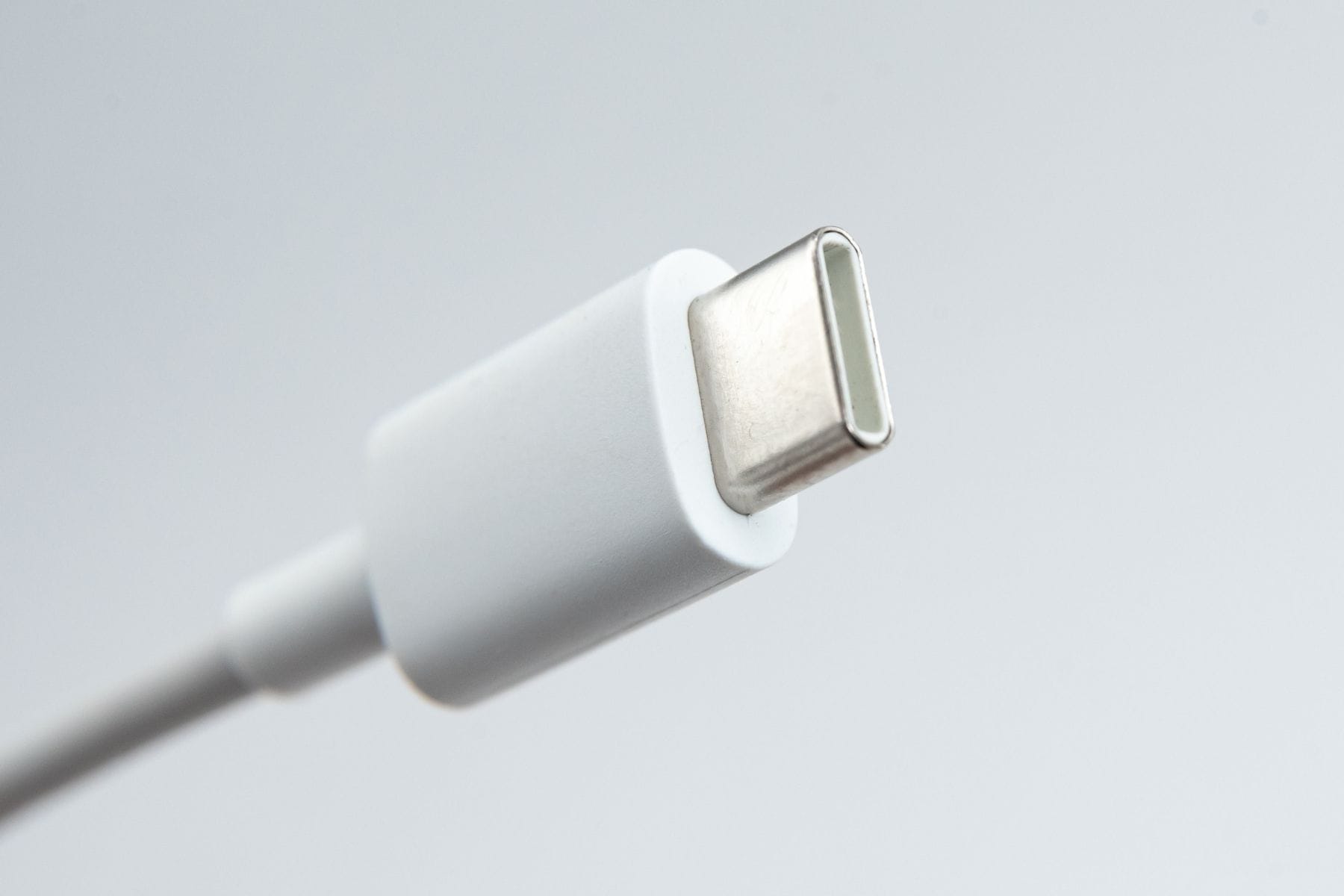
USB-C is the current standard, finalized in August 2014. It has twenty-four pins and has a double-sided connector that works either way up. One cord can carry power, data, and video at once. No other USB connector can do all three.
A basic USB-C cable is rated for 60 W and USB 2.0 data. A “full-featured” one carries every wire plus an E-marker chip, the cable introducing itself to the charger. It carries over 3 A, so a 60 W chip isn’t optional. USB-C is rated for 10,000 insertions, against 1,500 for the original Standard-A.
Conwire’s connector guide calls USB-C the universal replacement for chunkier legacy plugs. Laptops, Androids, iPhone 15 onward, monitors, and docks. The EU common charger rule made it mandatory for phones in late 2024 and laptops in 2026.
Also Read – How to Use Split Screen on Windows
What Does a USB Type C Cable Look Like?
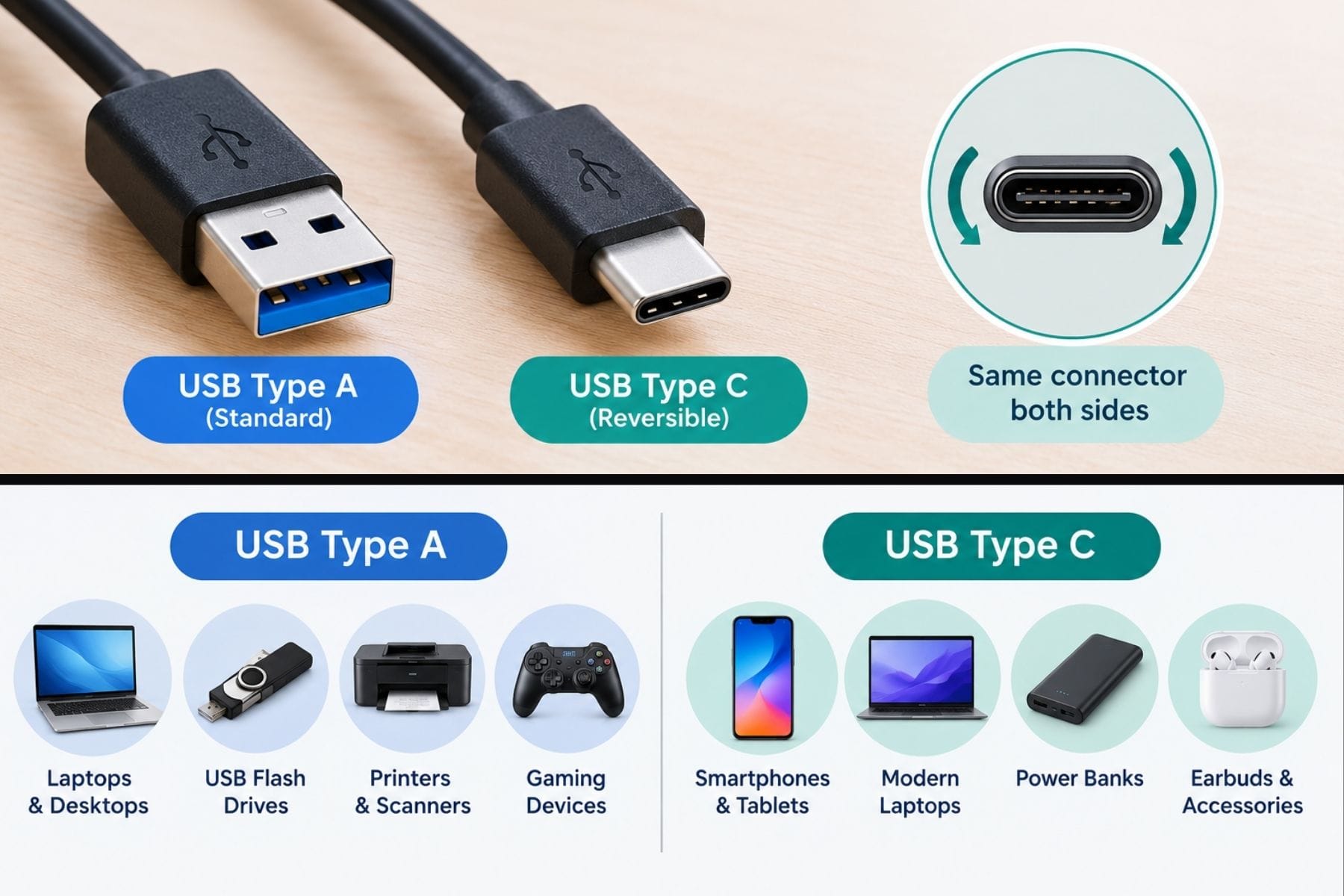
It has the shape of a small squashed oval. 8.25 mm wide, 2.4 mm thick, rounded ends, nothing poking out. Hold a USB-A plug next to it, and you’ll see the difference: 12 mm by 4.5 mm, roughly triple the footprint. If it works upside down, it’s C.
Where a USB-C & Type-A Cable Fits
Type-A has a rectangular plug, which goes into the laptop, car, or wall brick. Type-C has an oval plug, which goes into the phone, earbuds, or SSD.
The thing is, the old end is in charge. Spec caps it at USB 3.2 Gen 2×1, so 10 Gbps. There is no power delivery. Type-A has no configuration channel, nothing to negotiate with. You take what the port hands over: 2.5 W on USB 2.0, 4.5 W on USB 3.0, and maybe 7.5 W from a dedicated charging port. Some phones cheat upward with Quick Charge, but that’s the brand’s trick, not USB’s.
Cables have a nose and a tail, too. The C end is electronically marked A or B to match the far end.
The USB-IF flat-out bans extension cables and Y-splitters. RS makes it clear in its cable guide: if you want distance, buy an active repeater or powered hub. Stretching never adds speed, but it also doesn’t make you lose any.

Legacy Shapes You Still Need
| Connector | How you spot it | Lives on |
| USB-A | Flat rectangle, one-way, 4 or 9 pins | PCs, chargers, flash drives |
| USB-B | Square, top corners shaved | Printers, scanners, audio gear |
| Micro-B | Tiny 5-pin trapezoid | Old Androids, power banks |
| Mini-B | Fatter trapezoid | 2000s cameras, GPS, PSP |
| Lightning | Thin, flat pins on the outside | iPhone 5 to 14, older iPads |
Micro-USB arrived January 4, 2007, and by 2009 the ITU had crowned it the “Universal Charging Solution.” Mini-A and Mini-AB got deprecated in May 2007. Lightning is Apple’s own 2012 design, never part of USB, stuck at 480 Mbps and roughly 20 W.
Also Read – When was Google Created?
USB Versions and Speeds
| Version | Year | Max speed |
| USB 1.1 | 1998 | 12 Mbps |
| USB 2.0 | 2000 | 480 Mbps |
| USB 3.0 / 3.2 Gen 1 | 2008 | 5 Gbps |
| USB 3.1 / 3.2 Gen 2 | 2013 | 10 Gbps |
| USB 3.2 Gen 2×2 | 2017 | 20 Gbps |
| USB4 | 2019 | 40 Gbps |
| USB4 Version 2.0 | 2022 | 80 Gbps |
USB 3.0 got renamed USB 3.1 Gen 1, then again as USB 3.2 Gen 1. Same cable, same 5 Gbps, though. Anker’s USB guide bangs the compatibility drum, rightly: shove a USB 3.0 drive into a USB 2.0 port, and it works, just slowly.
Power, Length, and What to Buy
Remember 2.5 W being plenty? USB 3.0 nudged it to 4.5 W. Battery Charging 1.2 said fine, 7.5 W. Then Power Delivery arrived with steps at 5, 9, 15, and 20 V and a 100 W roof. PD 3.1’s Extended Power Range went further: 28, 36, 48 V, up to 240 W. Gaming laptop drinking 140 W? Get the 240 W-rated cable.
Length matters too. USB 2.0 is happy out to 5 meters, while USB 3.x is good for about 3 meters. A 10 Gbps passive cable wants to stay near 1 meter; passive USB4 is nearer 0.8. Longer runs need an active cable with retimer chips inside.
Leading IT, writing for office buyers, nails the cheap-cable problem: uncertified cords promise wattage they never deliver. So: USB-IF certification, braided jacket, beefy ends. And if your monitor’s sat there black, it’s usually DisplayPort Alt Mode missing. Don’t buy charge-only cables.
Also Read – How to Fix a Weak WiFi Signal
What Do the Colors Tell You?
The plastic inside the plug is a free spec sheet nobody reads. White is USB 1.x, black is USB 2.0, blue (Pantone 300C, if you’re fussy) is 5 Gbps, and teal is usually 10. Yellow or red? That port stays live with the PC off.
FAQs
- Is a USB-C to Type-A cable the same as a USB-C to USB-C cable?
Ans: Not even close. The A-end pins you at 10 Gbps and basic power. Only C on both ends gives PD, video out, and USB4 speed.
- Will USB-C fully replace USB-A?
Ans: Pretty much. New laptops, phones, and consoles have switched to USB-C, and EU rules have sped up the change. USB-A will hang on in hubs.
- How many types of USB cables are there?
Ans: Five are the main types: Type-A, Type-B, Type-C, Micro-B, and Mini-B. Lightning makes six, except it’s Apple’s own.
- Can I plug a USB 2.0 cable into a USB 3.0 port?
Ans: Yes. USB is backward compatible. It just runs at USB 2.0 speed. The port shrugs at the contacts your cable lacks.
- Does the cable affect charging speed?
Ans: Massively. A thin USB 2.0 cord carries nothing like a PD-rated USB-C cable with an E-marker chip. It’ll throttle a good charger.
- What does a blue USB port mean?
Ans: Blue plastic in a USB-A port or plug means 5 Gbps or better. Black or white is USB 2.0; teal often flags 10 Gbps.
Sources & References:
- Conwire – USB-C is the universal replacement for heavy and big legacy plugs.
- Anker – If you plug a USB 3.0 drive into a USB 2.0 port and it works, just slowly.
- RS – If you want distance, buy an active repeater or powered hub.
- Go Leading IT – Uncertified cords promise wattage they never deliver.